Overview
We’ve added WhatsApp as a new notification channel for Rentals. This gives you a direct and reliable way to communicate with clients through one of the world’s most popular messaging platforms — ensuring your messages are seen and acted on.
What’s New?
WhatsApp Support for Rental Notifications
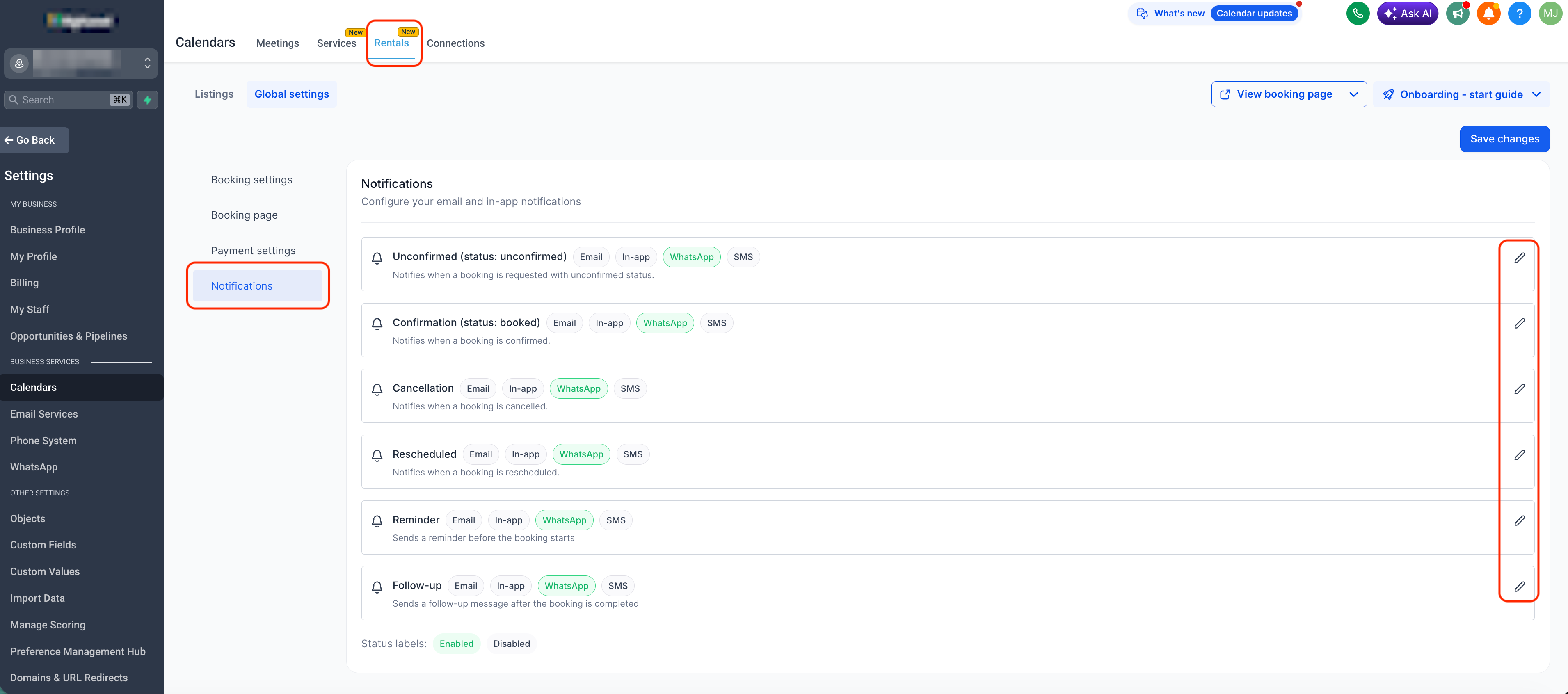
WhatsApp can now be used for all event types — Unconfirmed, Booked, Canceled, Rescheduled, Reminder, and Follow-up. You can toggle it on per notification.
Recipient Configuration Options
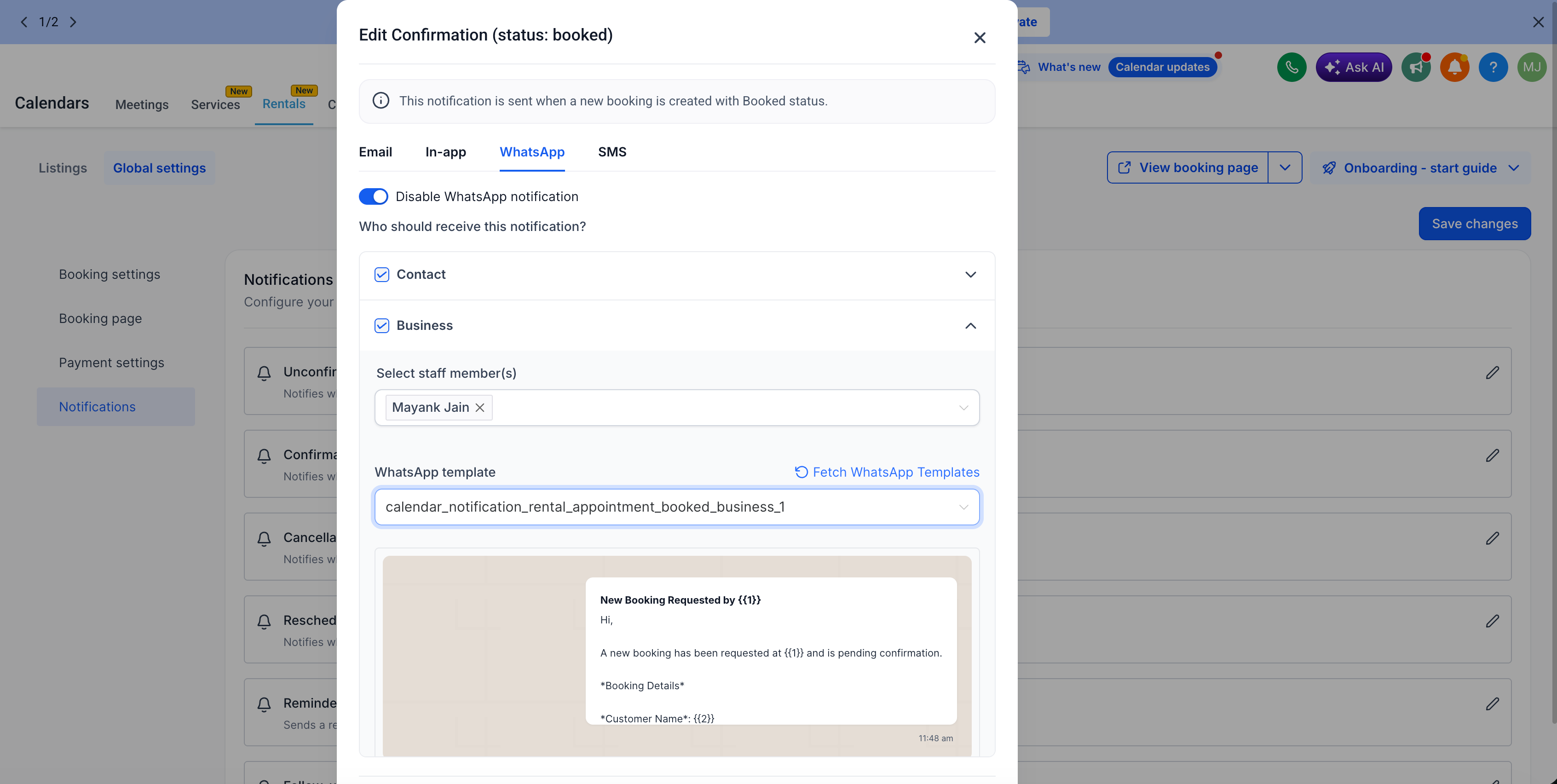
You can choose to send WhatsApp messages to Contacts or Business. This lets you tailor who gets notified and how.
Per-Recipient Templates
Set different WhatsApp templates for Contacts vs. Business, giving you more control over how each party is notified.
Template Selection & Creation
Each notification type comes with a default template. You can choose to keep it, use an existing approved WhatsApp template or build a new one using the in-app template builder. Use Fetch Whatsapp templates to refresh your list in real time.
Send Test WhatsApp Messages
Use the Send test Whatsapp notification feature to preview your message before enabling it for real bookings.
How to Use It
Go to Calendar Settings > Rentals > Global settings > Notifications
Under each notification type, toggle ON WhatsApp
Choose the recipients
Select or create an approved WhatsApp template
Use Send test Whatsapp notification to validate message content
Save your configuration — WhatsApp messages will now be sent automatically
Why This Matters
Increases show-up rates with faster, mobile-first communication
Reduces the need for manual follow-ups
Gives users full control over template messaging and delivery
Gives businesses flexibility in choosing how they reach different recipients
Was this article helpful?
That’s Great!
Thank you for your feedback
Sorry! We couldn't be helpful
Thank you for your feedback
Feedback sent
We appreciate your effort and will try to fix the article